
GBWhatsApp for PC: Download and Installation Guide
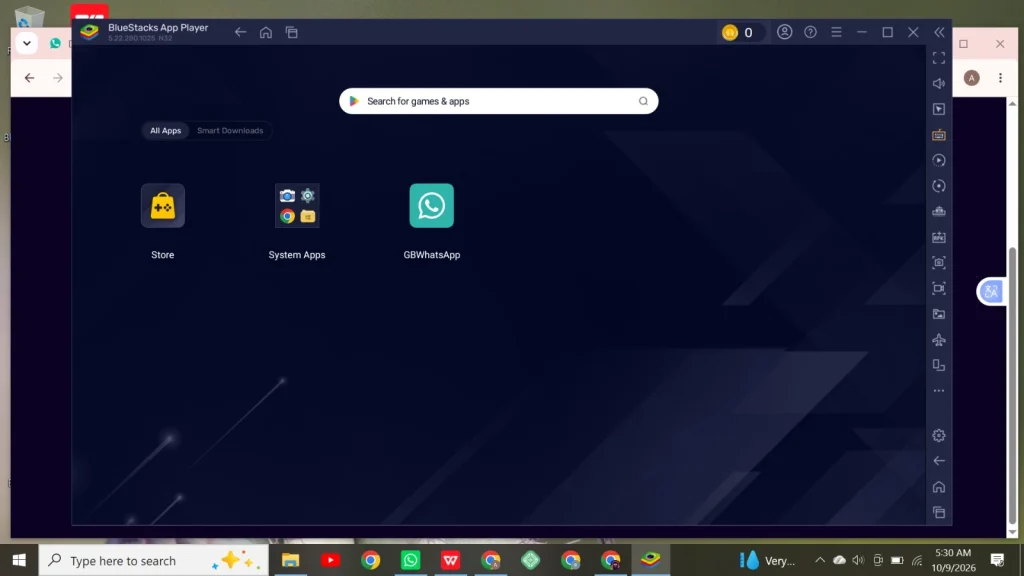
GBWhatsApp APK is a third-party app that is not available on the Play Store. To download GBWhatsApp for PC, you have to set up another software called an Android emulator. An emulator behaves like an Android mobile phone on your PC. You can download and install an emulator to download the GBWhatsApp APK for PC.
This guide explains the PC requirements, emulator setup, installation process, login steps, performance tips, and safety considerations before using GBWhatsApp on a computer.
What is GBWhatsApp For PC?
GBWhatsApp for PC is an unofficial modified version of WhatsApp. Users can download GBWhatsApp on their PC using BlueStacks or any other emulator. An emulator is slightly heavy software and requires some storage space on your desktop/PC. To download GBWhatsApp for Windows, first install an emulator, then download the GBWhatsApp APK file.
| Requirement | Recommended |
|---|---|
| Operating System | Windows 10 or Windows 11 |
| RAM | 8 GB or more |
| Storage | At least 5–8 GB of free space |
| Processor | Modern Intel or AMD processor |
| Internet | Wi-Fi or a stable mobile data connection |
| Virtualization | Enabled if required by the selected emulator |
| Android Emulator | BlueStacks or another compatible emulator |
What is An Emulator for GBWhatsApp Download?
An emulator is application software downloaded for several purposes, like testing apps, playing games, etc. To download and install Android apps, most people prefer BlueStacks, NoxPlayer, or any other emulator that supports Android applications on PC. There are several Android emulators on the market; the famous ones are
- BlueStacks
- LDPlayer
- MEmu Play
- NoxPlayer
How to Download BlueStacks on PC for GBWhatsApp
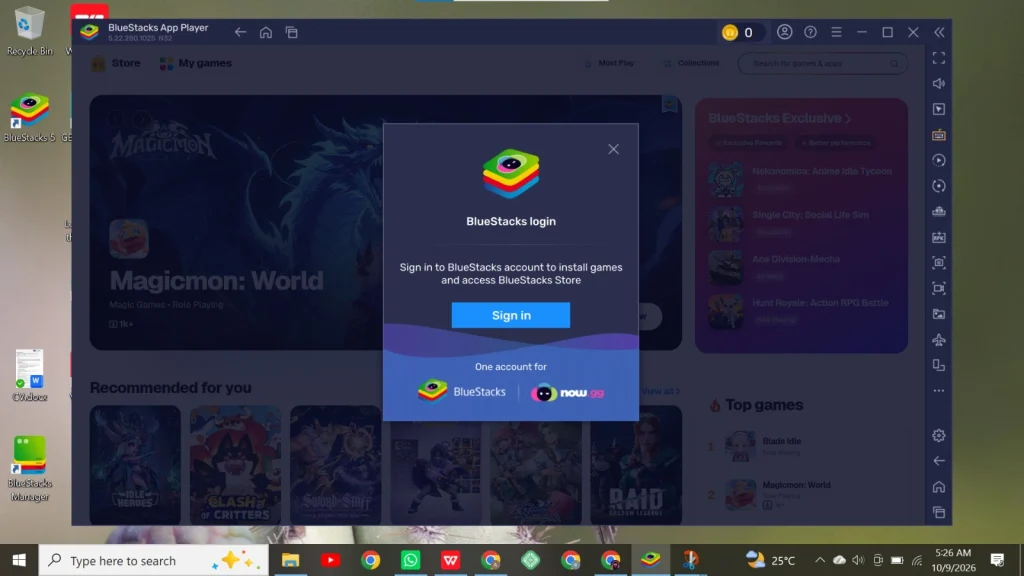
To download BlueStacks on your PC, follow these instructions
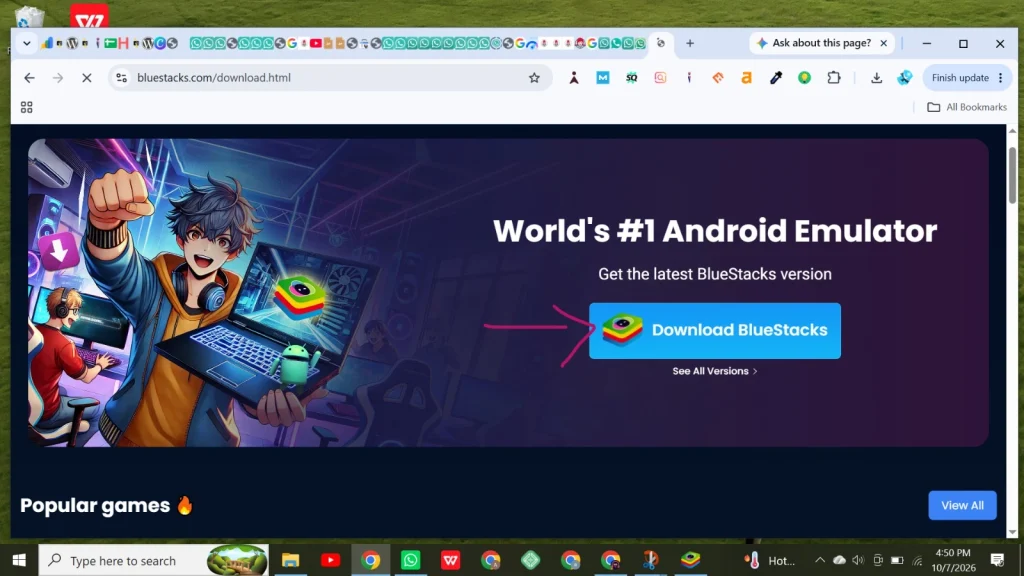
- Open the BlueStacks official website, bluestacks.com, or the Microsoft Store on your PC.
- The official website will open; check for the BlueStacks .exe file download button.
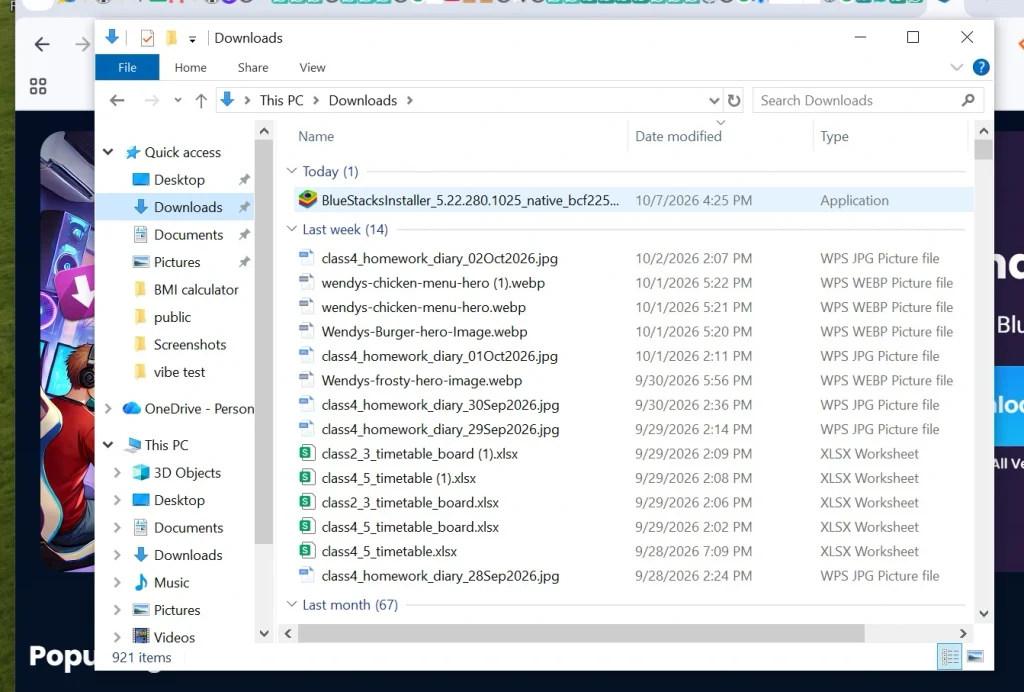
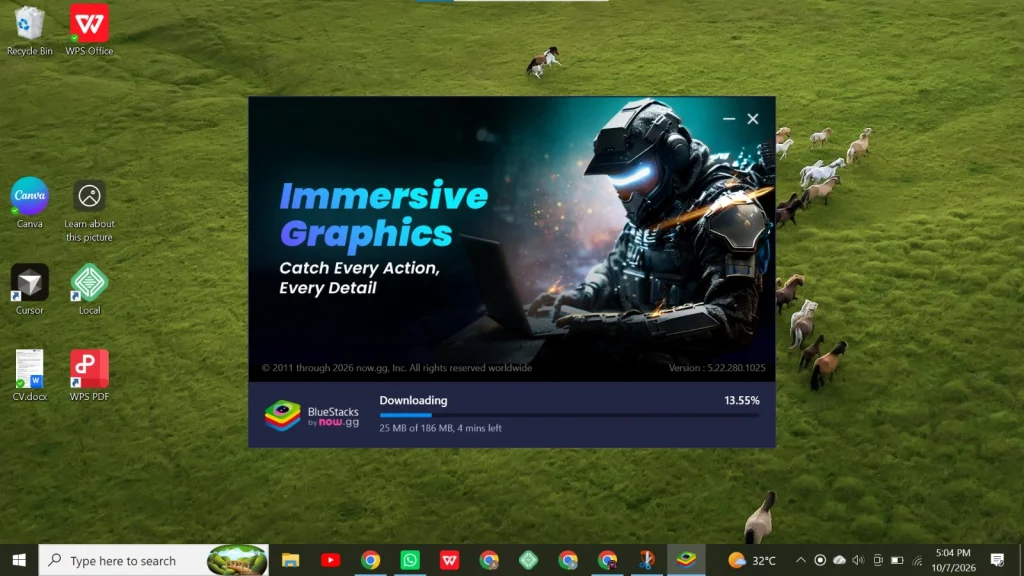
- Click on the download button and wait for the download to complete.
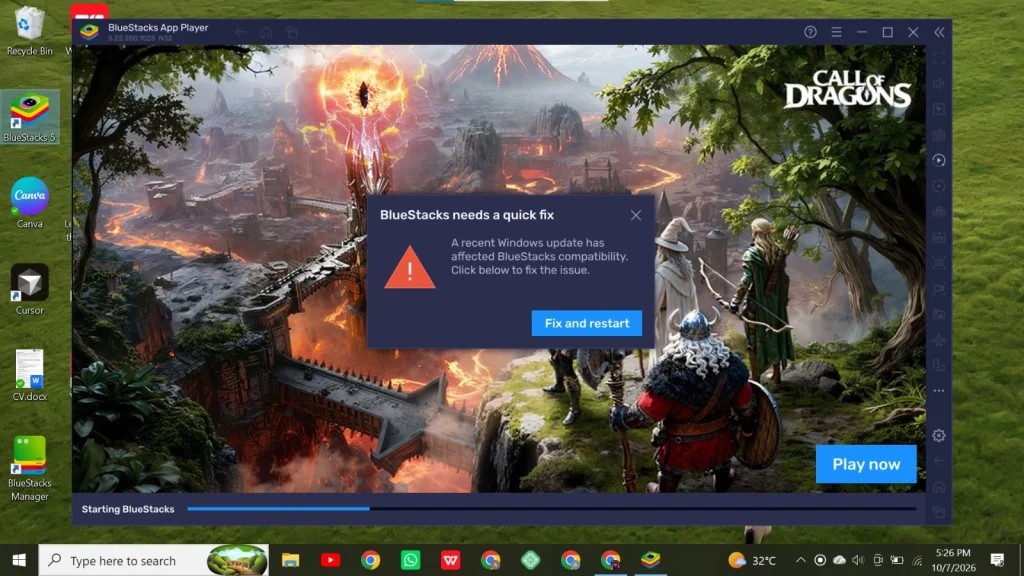
Troubleshoot if BlueStacks is not Opening After Installation
Sometimes, BlueStacks installs very easily, though it is a time-consuming process, but after completing the installation, it may not open. The user should not feel disappointed because here I’ll explain the troubleshooting process, and this software may start working after following the given steps
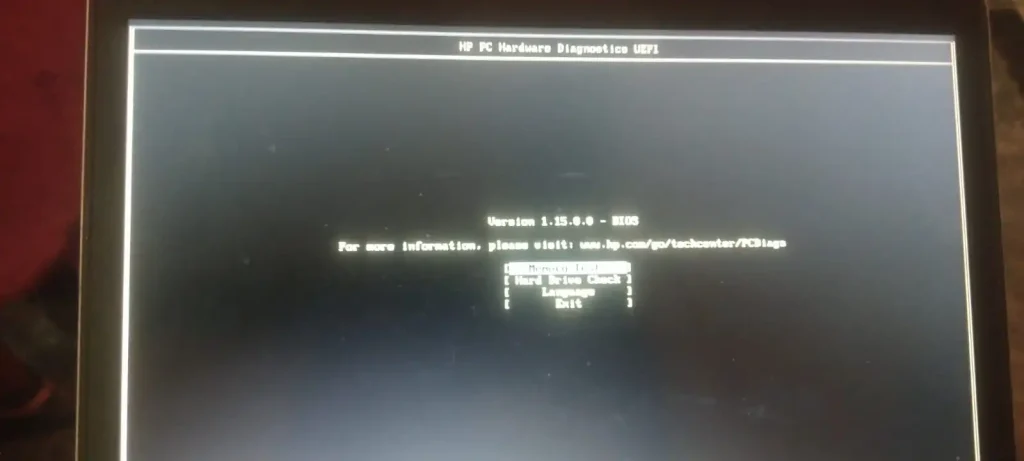
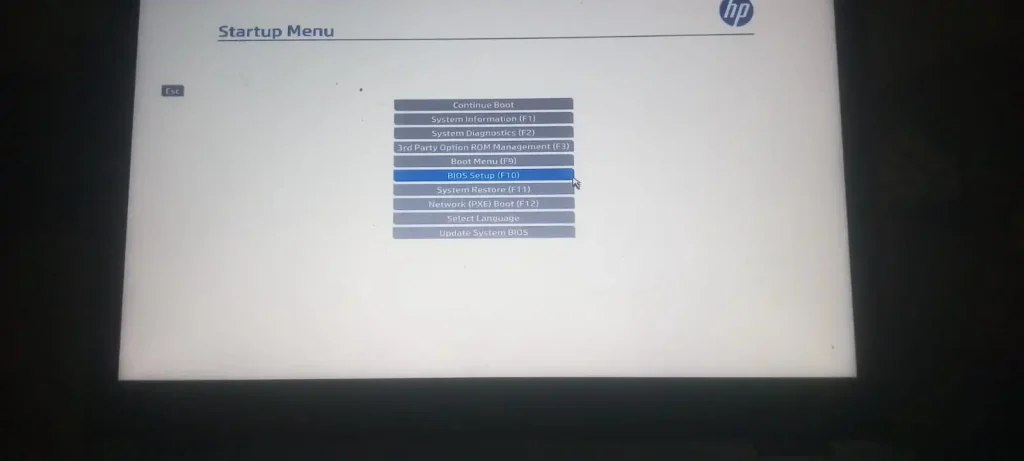
Access the BIOS of the PC
- Turn your PC off, then turn it on again, and start pressing the F10 key when your pc logo appears on the screen
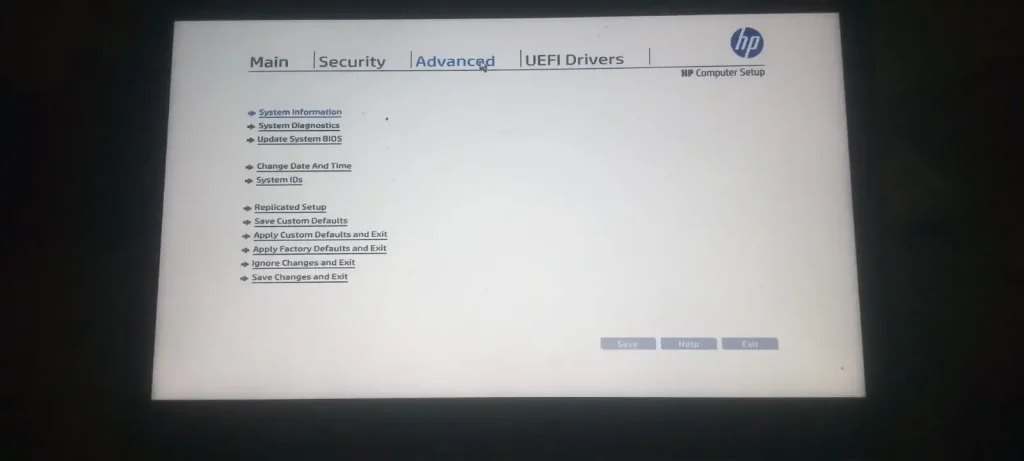
- Your PC BIOS will open on the screen.
Enable Virtualization Technology
- Search for virtualization from the tabs and move the arrow keys to the Advanced tab
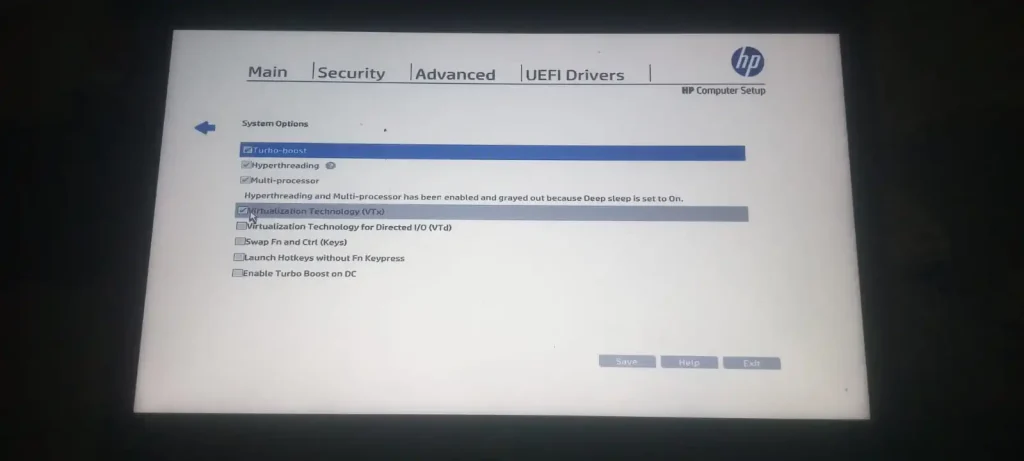
- Look for System options or device configuration in the Advanced tab.
- After entering this tab, new settings will open: “Virtualization Technology (VTx)” or “Intel Virtualization Technology”.
- Enable this virtualization technology and press ok to save these settings.
Download GB WhatsApp for PC/ Windows
To download the GBWhatsApp APK file for PC, follow this process
- Visit Google Chrome or any other search engine
- Type GB WhatsApp for PC in the search bar
- Many sites appear on the page; choose a trusted one
- Open the GBWhatsApp APK site for PC and search for the APK file
- Click on the download button and wait for the GBWhatsApp APK file to download
- After downloading, install the app through the emulator.
How to log in to GBWhatsApp on PC through an Emulator?
- Open GBWhatsApp for PC inside BlueStacks
- Enter your mobile number for registration on the app
- When you receive the code on your number, enter it immediately in the shown boxes
- Set your profile picture and username, and start using the app.
- Customize your GBWhatsApp for PC before using it for the best experience and more privacy
GBWhatsApp Performance Tips While Using an Emulator
- Disabling auto-download of media in GB WhatsApp’s settings (photos/videos/status) reduces storage I/O and background data use, which indirectly helps emulator responsiveness. This is a GBWhatsApp settings-level tip, not an emulator-level one.
- Turn off GB WhatsApp’s extra customization features (custom themes, anti-delete, extra privacy toggles) if enabled. These mods add background processing overhead compared to stock WhatsApp, so disabling unused ones can reduce resource use.
- Avoid running multiple cloned instances (a common GB WhatsApp use case, dual accounts) simultaneously in the emulator, since each instance is a separate app process competing for the same allocated RAM/CPU.
Advantages of GBWhatsApp
| Advantage | What It Offers |
|---|---|
| Extra Customization | Additional themes, fonts, interface options, and privacy controls that may not be available in official WhatsApp. |
| Dual-Account Support | May let users run a modified app alongside official WhatsApp to use a second number, depending on the device and version. |
| Extended Media Sharing | Some versions claim larger file-sharing limits or more forwarding options. Availability varies by version and should be verified. |
Disadvantages of GBWhatsApp
| Disadvantage | Why It Matters |
|---|---|
| Account Ban Risk | Unofficial modified apps violate WhatsApp’s Terms of Service and may lead to temporary or permanent account restrictions. |
| Unverified Security | There is no equivalent assurance of independent security auditing or accountable maintenance for unofficial builds. |
| No Official Updates | Updates usually come from third-party sources, so users must assess each download’s authenticity and safety. |
| Encryption Uncertainty | Users cannot assume a modified client preserves the official app’s security protections exactly as intended. |
| More PC Resources | Running GBWhatsApp on a PC requires an Android emulator, which uses additional resources compared with a native desktop app. |
| No Official Support | There is no official GBWhatsApp support team to resolve app-specific bugs, account issues, or installation problems. |
Is GB WhatsApp for PC Safe to Use?
GB WhatsApp for PC is an unofficial mod app, and you can try to make it safe to use if you follow some precautions and necessary steps while downloading and installing the app. Always download the GBWhatsApp APK file for your PC from a trusted website. Then pass this file through a virus scan tool. Then download and install the BlueStacks emulator to run GBWhatsApp on Windows because this APK file is not supported on a PC and cannot be installed directly. If GBWhatsApp asks for so many irrelevant permissions, then do not install the app and protect your personal information from being stolen.
Final Thoughts About GBWhatsApp for PC
GB WhatsApp for PC is not available on the Microsoft Store, and users have to do some extra work to download this app on their PC. Basic requirements include downloading the GBWhatsApp PC APK file and downloading and installing the emulator. The emulator works like Android software, and you can install the GBWhatsApp file after logging in to the emulator.
Users can use GBWhatsApp on the PC, just like using GBWhatsApp on an Android phone.
Frequently Asked Questions About GBWhatsApp for PC
For downloading and installing the emulator, your PC must have at least 8GB of free RAM and a strong internet connection.
Restart the emulator and check your internet connection; if it’s still not working, then uninstall the app from the PC and download and install the latest version of GBWhatsApp for PC to troubleshoot this problem.